







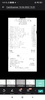
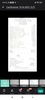
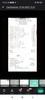
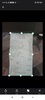

CamScanner is a scanning tool that will allow you to digitize any printed document. You can export your documents in these formats: PDF, JPG, or even Word.
Use your camera as a scanner
To scan a document, you only need to take a picture of it and then import it into CamScanner. The app processes the image in seconds and adjusts the illumination and alignment automatically. You can also open your device's camera from the same app without saving the picture taken in the gallery.
Improve the readability of your documents
After converting the photo into your desired document, you can edit and optimize the file before saving it. CamScanner has a series of filters to increase the clarity and readability of the document. This is especially useful in cases where the original illumination was not ideal or if the ink on the paper is worn out. For example, with CamScanner, you can scan receipts, notes, invoices, memos, and business cards without fear that the quality of the paper will spoil the scan.
Get started with the free trial
Don't depend on a scanner to transform your documents into digital files. If you want more advanced features, just start with an annual or monthly subscription. Anyway, to try CamScanner, you can always use its limited free trial to save you time and hassle in various situations.
If you want to manage your documents in digital format so you can share them, download the CamScanner APK here.
Requirements (Latest version)
- Android 5.0 or higher required
Frequent questions
How much space does the CamScanner APK take up?
The CamScanner APK takes up about 100 MB, so you don't need a lot of space on your Android device to enjoy the app.
Is CamScanner free?
Yes, CamScanner is free. Basic use of the app is totally free, although this app also offers extra options to users with monthly or annual subscriptions.
How do I install CamScanner on Android?
To install CamScanner on your Android device, just download the latest version of the APK file from the Uptodown catalog. Once it's downloaded to your smartphone, grant installation permissions to third-party apps in order to install the tool without any problems.
Can I scan wrinkled papers with CamScanner?
Wrinkles on papers you've scanned with CamScanner are visible and may hurt the readability of the document in question. But there's no need to worry, because CamScanner has a "Remove curvatures" button that enhances the captured image of your document to make the scan as clean as possible.


 171 reviews
  Many users appreciate the document scanning capabilities, rating them as excellent












Comments
Very good
Very good 😊
Excellent scanner, the best
This is a Good application like it
It is very good and useful.
Best application for scanning documents